
Pause Menu
STG UI Pack pause menu with a character scene, player card, map, settings, keybinds and social buttons.
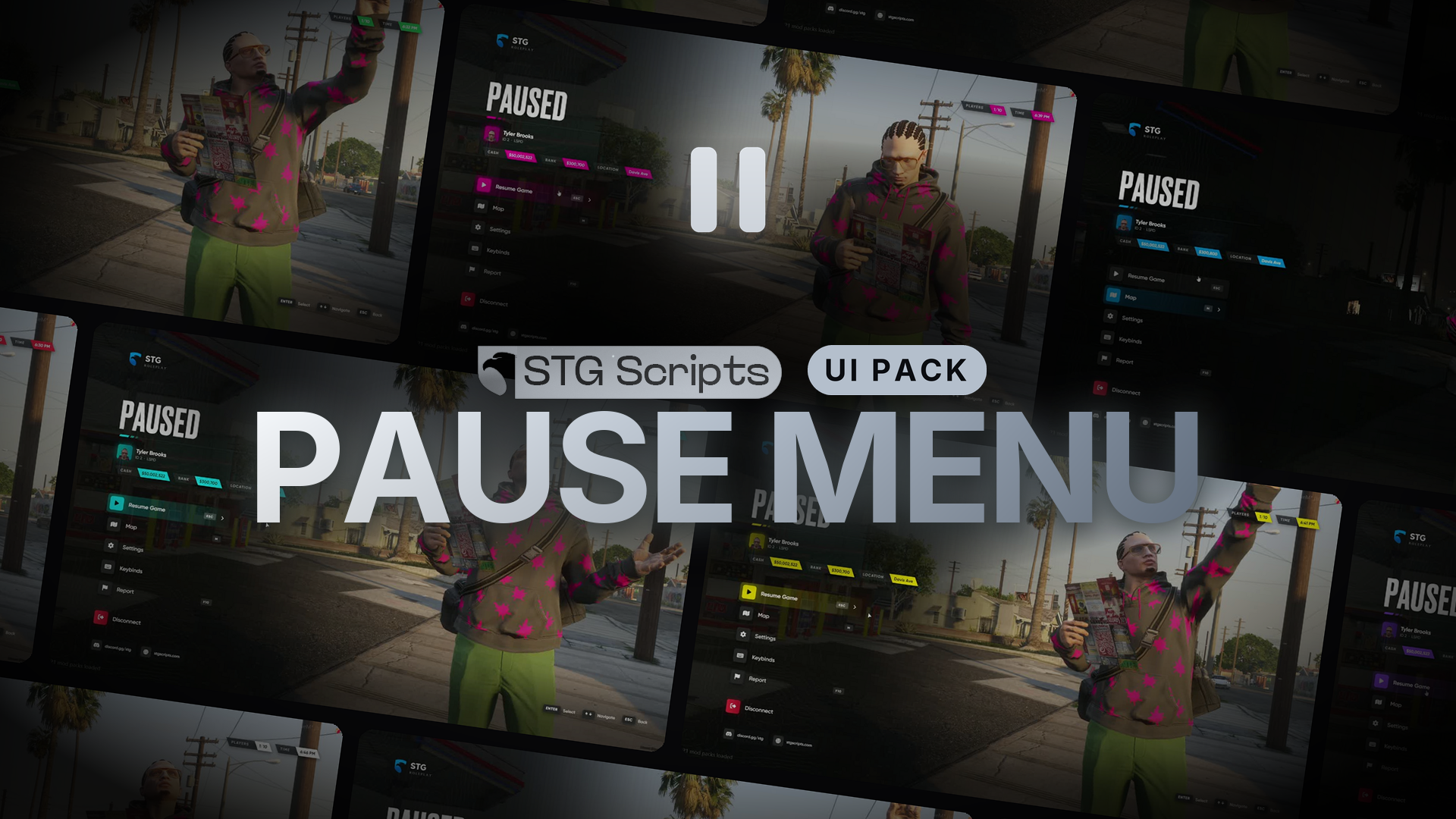
STG UI Pack: Pause Menu
ESC opens the STG menu instead of the GTA pause menu. The resource is stg-pausemenu.
Installation
Download the script
Download the pause menu from the Cfx.re portal Granted Assets. Extract it, you get stg-pausemenu.
Remove your old pause menu
Stop any other pause menu, for example stg-pausemenuv2.
Start it
Put stg-pausemenu inside resources/[STG], after your framework, ox_lib and stg_lib (ensure [STG]). Restart the whole server.
How it works
ESCopens the menu. Players can rebind it in the FiveM key settings.- Map, Settings and Keybinds open the GTA / FiveM pages, ESC there returns to the game.
- The player card shows name, ID, job, cash, bank, street, online players and time.
- Disconnect asks for a second click.
Configuration
stg-pausemenu/shared/config.lua:
| Setting | What it does |
|---|---|
Config.Brand | Accent colour |
Config.Scene | Camera turns to the character holding a map |
Config.Blur, Config.Sounds, Config.Clock | Background blur, menu sounds, 12h / 24h |
Config.Menu | Menu entries, top to bottom. Action: resume, map, settings, keybinds, disconnect, command or event. Enabled = false hides one |
Config.Socials | Buttons in the bottom left |
A new menu entry needs a label in locales/*.lua called menu_<id>.
The Report entry runs /report and ships turned off (Enabled = false), because ESX, QBCore and QBOX have no /report by default. Turn it on once your server has a report command, or change its Command.
Exports (client)
exports['stg-pausemenu']:open()
exports['stg-pausemenu']:close()
exports['stg-pausemenu']:isOpen()
exports['stg-pausemenu']:setColor('#00A6FA')
Still having trouble?
Open a ticket on our Discord. Our team answers around 15 hours a day.