
Loading Screen
STG UI Pack loading screen with rules, news cards, staff team, tips and a music player.
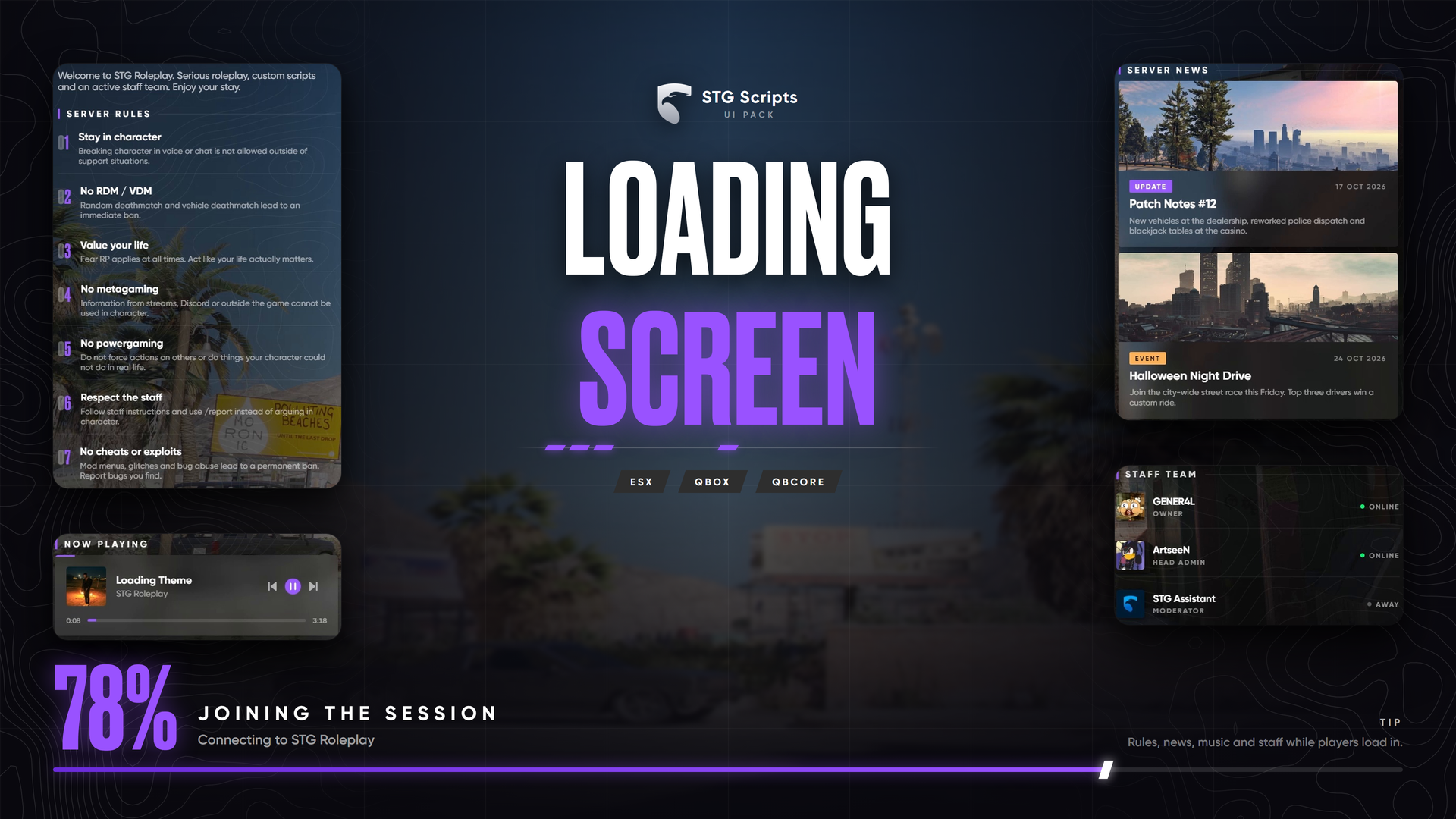
STG UI Pack: Loading Screen
Rules, server news, staff team, tips and music while players connect. The resource is stg-loadingscreen.
Installation
Download the script
Download the loading screen from the Cfx.re portal Granted Assets. Extract it, you get stg-loadingscreen.
Remove your old loading screen
Only one loading screen can run. Remove the one you have, for example [standalone]/loadscreen. On ESX remove esx_loadingscreen from [core] (see ESX setup).
Start it
Put stg-loadingscreen inside resources/[STG] (ensure [STG]). Restart the whole server, then reconnect to see it.
When it closes
- With STG Multicharacter or
esx_multicharacter, it stays until the character menu is ready. - On ESX without a multicharacter, it stays until the player has spawned.
- Other scripts can close it with
exports['stg-loadingscreen']:shutdown(). - After 60 seconds it closes anyway.
Your content
| What | Where |
|---|---|
| Accent colour, server name, welcome text, backgrounds, socials, rules, staff, tips, music | shared/config.lua |
| News cards | shared/updates.lua |
| Background and staff images | web/assets/img/ |
| Music files | web/assets/music/ |
The loading screen shows before the game loads, so test changes by reconnecting, not with a resource restart.
Still having trouble?
Open a ticket on our Discord. Our team answers around 15 hours a day.