
ox_lib Redesign
Install the STG UI Pack skin for ox_lib, notify, menus, context, text UI, progress, input dialog, alert, radial and skill check.
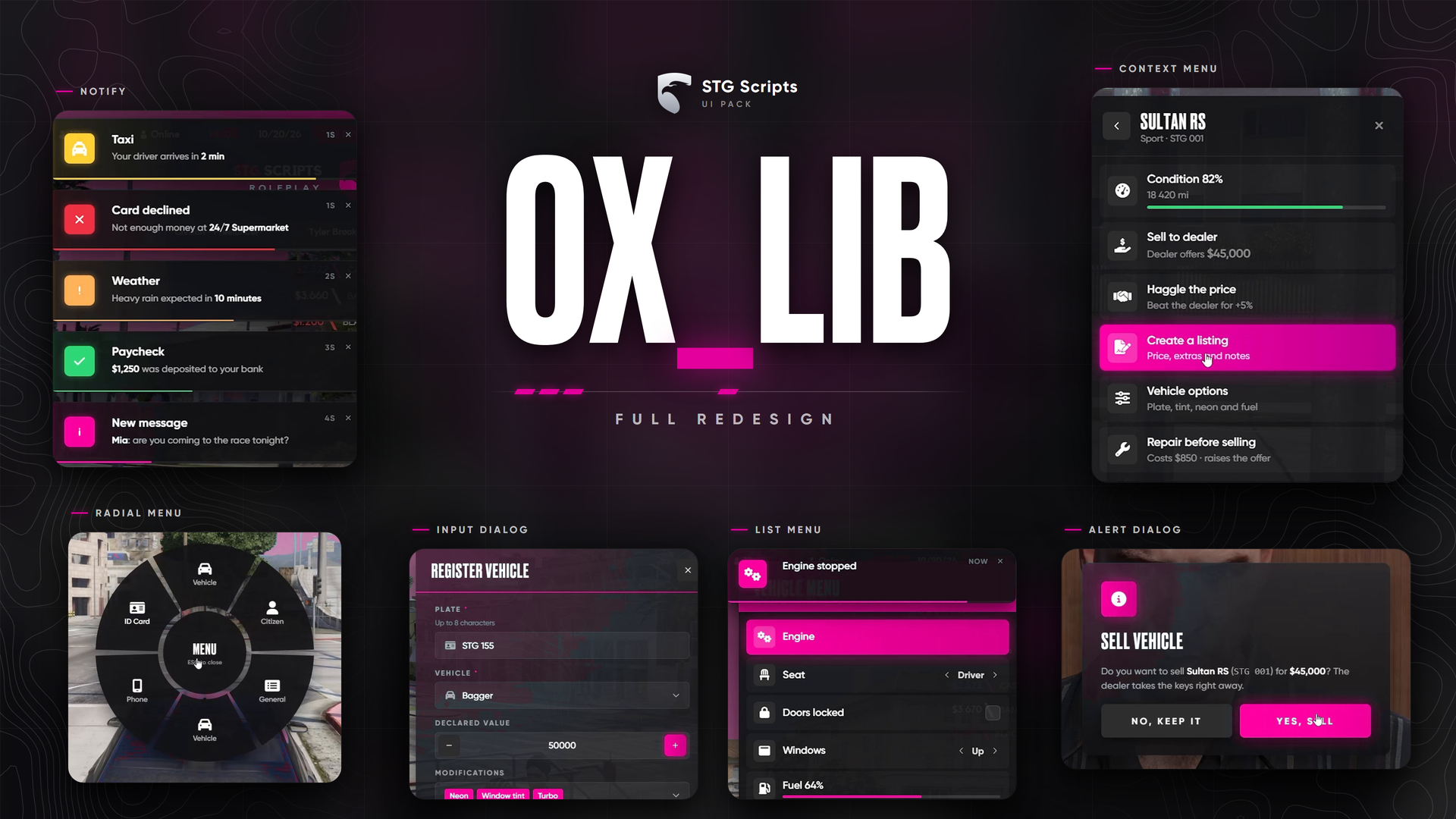
STG UI Pack: ox_lib Redesign
A new look for every ox_lib window: notify, menu, context menu, text UI, progress bar and circle, input dialog, alert dialog, radial menu and skill check. Every script that uses ox_lib gets the new design without any change.
stg-oxlib is not a resource. Do not ensure it. You copy its files into your existing ox_lib folder.
What you downloaded
stg-oxlib/
├── web/                          → becomes ox_lib/web/build
├── resource/interface/client/    → brand.lua and sound.lua (optional extras)
└── patches/                      → two small optional code changes
Installation
Make a backup
Copy the folder ox_lib/web/build somewhere safe. If you do the optional steps later, also back up ox_lib/resource/interface/client/progress.lua and context.lua.
Replace the web/build folder
- Delete the folder
ox_lib/web/build. - Copy the
webfolder fromstg-oxlibintoox_lib/web. - Rename that copied
webfolder tobuild.
You should now have ox_lib/web/build/index.html. That is the only required step, the new design already works.
Optional: live colour and menu sounds
Copy brand.lua and sound.lua from stg-oxlib/resource/interface/client into ox_lib/resource/interface/client. No manifest change is needed, ox_lib loads every file in that folder.
brand.luaaddsexports.ox_lib:setColor('#hex'), which recolours every ox_lib window on the spot.sound.luaplays GTA menu sounds in menus, context menus, the radial, dialogs and the skill check.Sounds: falseinweb/build/js/config.jsturns them off.
Optional: cancel key on progress bars
Shows "cancel" on a progress bar only when it can really be cancelled. Open ox_lib/resource/interface/client/progress.lua and search for action = 'progress'. Its data block looks like this:
data = {
    label = data.label,
    duration = data.duration
}
Add a comma after data.duration and one new line:
data = {
    label = data.label,
    duration = data.duration,
    canCancel = data.canCancel
}
A few lines below there is a second data block for the circle progress that ends with label = data.label. Do the same there:
data = {
    duration = data.duration,
    position = data.position,
    label = data.label,
    canCancel = data.canCancel
}
Optional: subtitles on context menus
Lets a context menu have a subtitle: lib.registerContext({ id, title, description, options }). Open ox_lib/resource/interface/client/context.lua and search for action = 'showContext'. Under title = data.title, add:
description = data.description,Restart the server
Restart the whole server. Every script that depends on ox_lib reloads its windows.
Settings
ox_lib/web/build/js/config.js:
var Config = {
    Brand: '#00a6fa',          // accent colour
    NotifyPosition: 'top-right',
    NotifyDuration: 3000,
    Sounds: true               // needs sound.lua (step 3)
}
Button texts follow the ox_lib language (setr ox:locale "en" in server.cfg).
Common mistakes
| What you see | Fix |
|---|---|
| The old ox_lib design | web/build still has the old files. Delete it and copy web again. |
| Menus don't open at all | The folder is called web/web or web/build/web. The path must be ox_lib/web/build/index.html. |
setColor export not found | brand.lua is not in ox_lib/resource/interface/client. |
Going back to the original
Delete ox_lib/web/build, put your backup back, delete brand.lua and sound.lua, restore progress.lua and context.lua if you changed them, and restart.
Updating ox_lib
An ox_lib update replaces web/build and the .lua files. After updating, repeat the steps you used.
Still having trouble?
Open a ticket on our Discord. Our team answers around 15 hours a day.