
Target
Install the STG UI Pack skin for ox_target with an entity chip, keycaps and a live colour export.
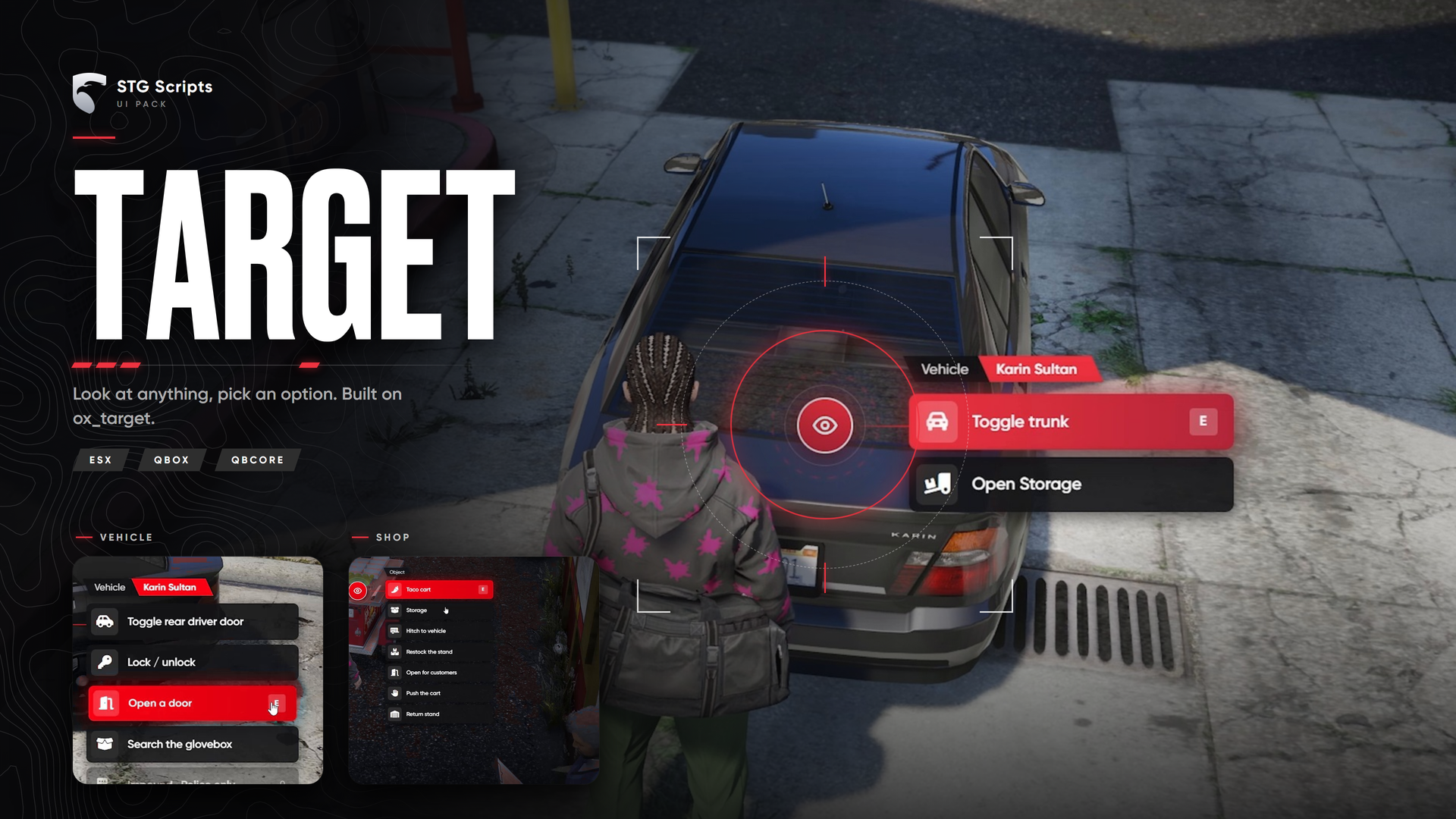
STG UI Pack: ox_target Redesign
A new look for ox_target: eye icon with a ring, a chip that names what you are looking at (for example "Vehicle · Karin Sultan"), and options with icons and the select key.
stg-target is not a resource. Do not ensure it. You copy its files into your existing ox_target folder.
What you downloaded
stg-target/
├── web/              → replaces ox_target/web
├── client/brand.lua  → live colour (optional)
└── patches/          → entity chip (optional)
Installation
Make a backup
Copy the folder ox_target/web and the file ox_target/client/main.lua somewhere safe.
Replace the web folder
- Delete the folder
ox_target/web. - Copy the
webfolder fromstg-targetintoox_target.
You should now have ox_target/web/index.html. That is the only required step, the new design already works.
Optional: live colour
- Copy
stg-target/client/brand.luaintoox_target/client. - Open
ox_target/fxmanifest.luaand find:
client_scripts {
	'client/main.lua',
}
Add one line so it reads:
client_scripts {
	'client/main.lua',
	'client/brand.lua',
}
This adds exports.ox_target:setColor('#hex').
Optional: entity chip
Without this step the chip shows the option type. With it, the chip names the vehicle model or says player, ped or object.
Open ox_target/client/main.lua.
a) Find this line near the top:
local vec0 = vec3(0, 0, 0)Paste this block right under it:
local function vehicleLabel(model)
    local name = GetDisplayNameFromVehicleModel(model)
    local label = GetLabelText(name)
    if label == 'NULL' then label = name:lower():gsub('^%l', string.upper) end

    local make = GetMakeNameFromVehicleModel(model)
    local makeLabel = make ~= '' and GetLabelText(make) or 'NULL'
    if makeLabel ~= 'NULL' and makeLabel ~= label then label = makeLabel .. ' ' .. label end

    return label
end

local function describeEntity(entity, entityType, model, hasZones)
    if not entity or entity <= 0 then
        return hasZones and { type = 'zones' } or nil
    end

    if entityType == 2 then return { type = 'globalVehicle', label = vehicleLabel(model) } end
    if entityType == 1 then return { type = IsPedAPlayer(entity) and 'globalPlayer' or 'globalPed' } end
    if entityType == 3 then return { type = 'globalObject' } end
end
b) Search for event = 'setTarget'. You will see:
event = 'setTarget',
options = options,
zones = zones,
Add one line under zones = zones,:
entity = describeEntity(entityHit, entityType, entityModel, #zones > 0),Save the file.
Restart the server
Restart the whole server.
Settings
ox_target/web/js/config.js: accent colour (Brand), select key label, entity chip on or off, and the labels for each entity type.
Common mistakes
| What you see | Fix |
|---|---|
| The old ox_target design | ox_target/web still has the old files. Delete it and copy web again. |
| Target stops working after step 4 | A line was pasted in the wrong place. Put your backup main.lua back and redo step 4, or skip it. |
setColor export not found | 'client/brand.lua' is missing from client_scripts in fxmanifest.lua. |
Going back to the original
Put your backup web folder and client/main.lua back, delete client/brand.lua, remove its line from fxmanifest.lua, and restart.
Still having trouble?
Open a ticket on our Discord. Our team answers around 15 hours a day.