
UI PackInventory
Inventory
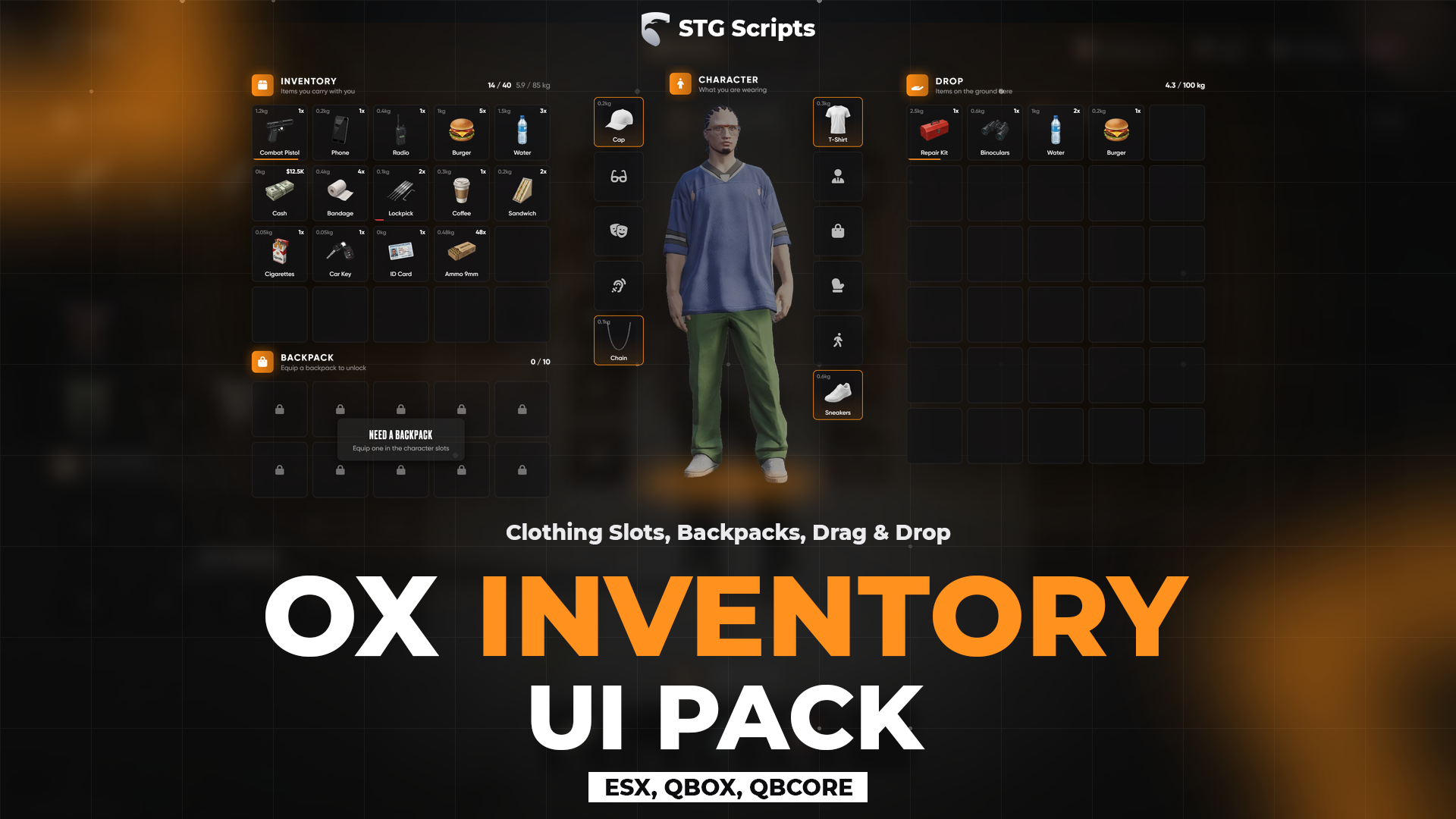
STG UI Pack redesign of ox_inventory with a character preview, clothing slots, clothes as items, backpacks and fast slots.
STG UI Pack: ox_inventory Redesign
ESXQBCoreQBOX
A new look for ox_inventory. It is not a separate resource: you copy its files into your ox_inventory folder and ox_inventory keeps doing all the work (items, stashes, shops, trunks). See Installation.
Features
- Character preview: while the inventory is open the camera turns to the front of the character with the background softly blurred. Skipped inside vehicles, and every player can turn it off in the Settings tab.
- Character slots: click a slot to take that piece off with a short animation, click again to put it back on.
- Clothes as items (optional): clothes bought in STG Appearance arrive as items. Drag one onto its slot to wear it, click the slot to put it back in the bag.
- Backpacks: wearing one of the bags in
Config.Backpack.Bagsunlocks the Backpack section. With clothes as items the contents travel with the bag item. - Fast slots, tabs, ground, trunks, stashes and shops all in the same design.
Configuration
ox_inventory/stg/config.lua:
| Setting | What it does |
|---|---|
Config.Language | Language of the redesign texts. Item names keep using the ox_inventory locale |
Config.PedPreview | Default for the character camera |
Config.Tabs | Command each extra tab runs, false hides a tab |
Config.Clothing | Character slots |
Config.Backpack | Bag drawables, slots and weight, false turns backpacks off |
Config.ClothingItems | 'auto' follows STG Appearance, true / false forces it |
ox_inventory/web/build/js/config.js: accent colour (Brand), server name, currency, money items, fast slot count, tab and character slot lists.
Other clothing shops
Give a clothing item from any script:
exports.ox_inventory:GiveClothingItem(source, 'shirt', { drawable = 0, texture = 0, model = 'mp_m_freemode_01' })Still having trouble?
Open a ticket on our Discord. Our team answers around 15 hours a day.