
Installation
Install STG Appearance on your FiveM server, with the database table and the setup for ESX, QBCore and QBOX.
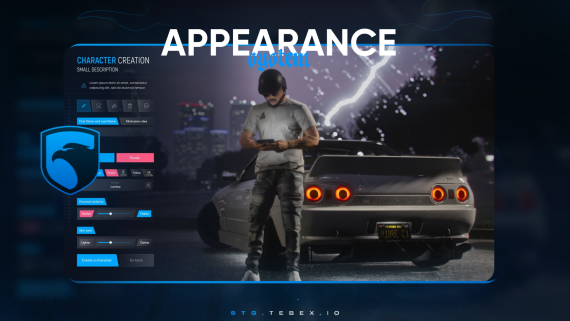
STG Appearance
Download the script
Sign in to the Cfx.re portal with the account you used at checkout and download stg-appearance from Granted Assets.
Move the resource
Extract the zip and place the stg-appearance folder inside the [STG] category folder in your resources directory.
resources/
└── [STG]/
    └── stg-appearance/
Install the dependencies
Appearance needs oxmysql. On ESX it also needs esx_skin and skinchanger. Skip this step if your server already runs them.
Point the script to your database resource
stg-appearance/fxmanifest.lua loads the database library from mysql-async. On a server that runs oxmysql, change that line:
server_script {
    '@oxmysql/lib/MySQL.lua',
    "config.lua",
    "main/server.lua",
}
Import the database table
Run stg-appearance/setup-script/data.sql on your database. It creates the stg_outfit table that stores the wardrobe outfits.
Set your framework
Open stg-appearance/config.lua and set framework for your server.
framework = "esx",Appearance saves skins with esx_skin and puts them on the ped with skinchanger, so keep both running.
- With a multicharacter resource, keep
multicharacter = true. The creator opens whenesx_identity:showRegisterIdentityfires for a new character. - Without one, set
multicharacter = false. The creator opens on spawn for every player whosefirstnamein theuserstable is empty.
Appearance places its own clothing stores and barbers on the map. If you run esx_clothesshop or esx_barbershop, stop them so players do not see two shops at the same store.
framework = "qb",QBOX uses "qb" as well. The creator opens when your multicharacter resource sends qb-clothes:client:CreateFirstCharacter for a new character. The finished character and every shop purchase are saved to the playerskins table in the qb-clothing format.
qb-clothing and illenium-appearance listen to the same event. If one of them also runs, its own menu opens next to the Appearance creator.
Start the script
Make sure [STG] starts after your framework, oxmysql and your skin resources in server.cfg:
ensure oxmysql
# your framework: es_extended, qb-core or qbx_core
# on ESX: ensure skinchanger and esx_skin
ensure [STG]
Then restart the whole server.
Nothing happens or the console shows an error? See Common Errors.
Next steps
Configuration
Framework, spawn points, prices, shops, texts and blips
Dependencies
What needs to start before Appearance
Still having trouble?
Open a ticket on our Discord. Our team answers around 15 hours a day.