
Installation
Install STG Multicharacter on your FiveM server, import the SQL file and replace esx_multicharacter, qb-multicharacter or the QBOX character selection.
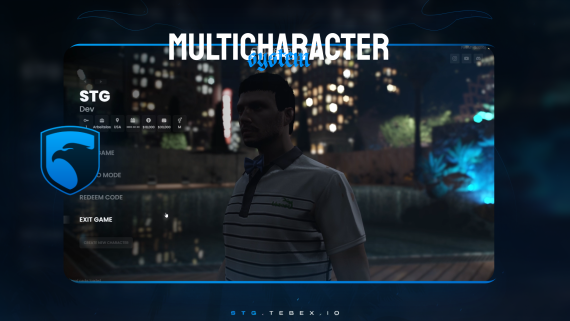
STG Multicharacter
Download the script
Sign in to the Cfx.re portal with the account you used at checkout and download stg-multicharacter from Granted Assets.
Move the resource
Extract the zip and place the stg-multicharacter folder inside the [STG] category folder in your resources directory.
resources/
└── [STG]/
    ├── stg_lib/
    └── stg-multicharacter/
Keep the folder name stg-multicharacter. With any other name the resource stops itself on start.
Install the dependencies
Multicharacter needs ox_lib, oxmysql and stg_lib. Skip this step if your server already runs them.
Import the SQL file
Run [SETUP]/stg-multicharacter.sql on your database. It creates two tables:
stg_multicharacter_slots: extra slots each player has unlocked.stg_multicharacter_keys: unused unlock keys made with thegenerateKeyconsole command.
Characters themselves stay in your framework's own tables (users on ESX, players on QBCore and QBOX).
Remove the default character selection
Only one character selection can run at a time. Turn off the one that came with your framework:
- Remove
esx_multicharacterfrom yourresourcesfolder and itsensureline fromserver.cfg. - Open your
es_extendedconfig (shared/config/main.luaon recent versions,config.luaon older ones) and set:
Config.Multichar = trueCharacters made with esx_multicharacter keep working as long as they use its default char prefix (identifiers such as char1:<license>).
Remove qb-multicharacter from your resources folder and its ensure line from server.cfg.
Keep qb-spawn if you use it. Existing characters then pick where to spawn in qb-spawn after they are selected.
QBOX has its character selection built into qbx_core. Open qbx_core/config/client.lua and turn it off:
characters = {
    useExternalCharacters = true,
    -- ...
},
Keep qbx_spawn if you use it. Existing characters then pick where to spawn in qbx_spawn after they are selected.
Start the script
Make sure [STG] starts after your framework, oxmysql and ox_lib in server.cfg:
ensure oxmysql
ensure ox_lib
# your framework: es_extended, qb-core or qbx_core
ensure stg_lib
ensure [STG]
Then restart the whole server.
Nothing happens or the console shows an error? See Common Errors.
Next steps
Configuration
Slots, keys, Tebex, spawn, clothing and starter items
Dependencies
What needs to start before Multicharacter
Still having trouble?
Open a ticket on our Discord. Our team answers around 15 hours a day.
Multicharacter
A character selection screen with light and dark themes, live 3D previews, character creation, extra slots unlocked with keys or Tebex purchases, and spawn and clothing hand-off.
Configuration
Every option in STG Multicharacter config.lua, housing.lua and server_config.lua, from slots, unlock keys and Tebex to spawn, clothing systems, starter items and hooks.