
Installation
Install STG Advanced Banking on your FiveM server in five steps, including the billing table for ESX and switching from your old banking script.
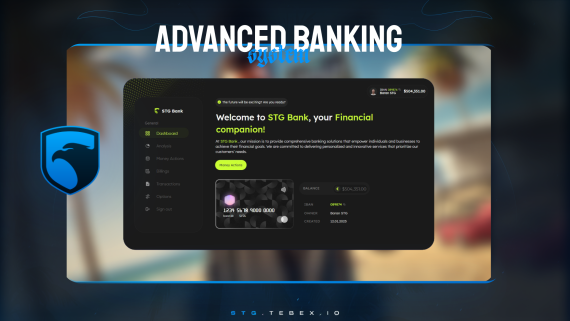
STG Advanced Banking
Download the script
Sign in to the Cfx.re portal with the account you used at checkout and download stg-bank from Granted Assets.
Move the resource
Extract the zip and place the stg-bank folder inside the [STG] category folder in your resources directory.
resources/
└── [STG]/
    └── stg-bank/
Install the dependencies
Advanced Banking needs ox_lib and oxmysql. Skip this step if your server already runs them.
Import the billing table (ESX)
On ESX, the Bills page lists the player's unpaid bills from the billing table. If you run esx_billing, this table already exists. Otherwise import stg-bank/[SQL]/data.sql into your database.
Start the script
Make sure [STG] starts after your framework, oxmysql, ox_lib and your target resource in server.cfg:
ensure oxmysql
ensure ox_lib
# your framework: es_extended, qb-core or qbx_core
# your target: ox_target or qb-target
ensure [STG]
Then restart the whole server.
Switching from another banking script
Advanced Banking reads and changes the framework's own bank balance, so players keep their money and nothing needs to be migrated. Only the IBAN, PIN, history and auto payments are new.
If another banking script also opens at the bank counters (for example qb-banking, esx_banking or okokBanking), players get two menus at the same spot. Remove that script's bank locations or stop it. On QBCore, the newer qb-management keeps job society money in qb-banking, so keep qb-banking running if your jobs use it and only remove its bank locations.
Player accounts (IBAN, PIN, transactions, chart and auto payments) are saved in stg-bank/data.json. Back up this file before you replace the folder with a new version, then copy it back, or every player gets a new IBAN and loses their history.
Nothing happens or the console shows an error? See Common Errors.
Next steps
Configuration
Banks, blips, donations, IBAN rules and targets
Dependencies
What needs to start before Advanced Banking
Still having trouble?
Open a ticket on our Discord. Our team answers around 15 hours a day.